As much as using coding agents has been an amazing lever, I was frustrated that I had to keep re-explaining everything and documentation was on me. As Dennis Ritchie is reported to have said regularly: "Use a computer. It's faster." I also wanted any agent from anywhere to be able to see what was in the code and where the project was. So I started building CodeManager to solve the problem.
What It Is
A Postgres database with a vector store ensures persistence and fast lookup for agents. Access is via MCP for Claude and a FastAPI endpoint for all other agents. Claude Code has instructions in the system CLAUDE.md. Other agents — Gemini, Anti-Gravity, Codex, and Ollama — access via the API and are greeted with detailed instructions on the index page.
The Protocol
Every agent that connects to CodeManager sees this on arrival:
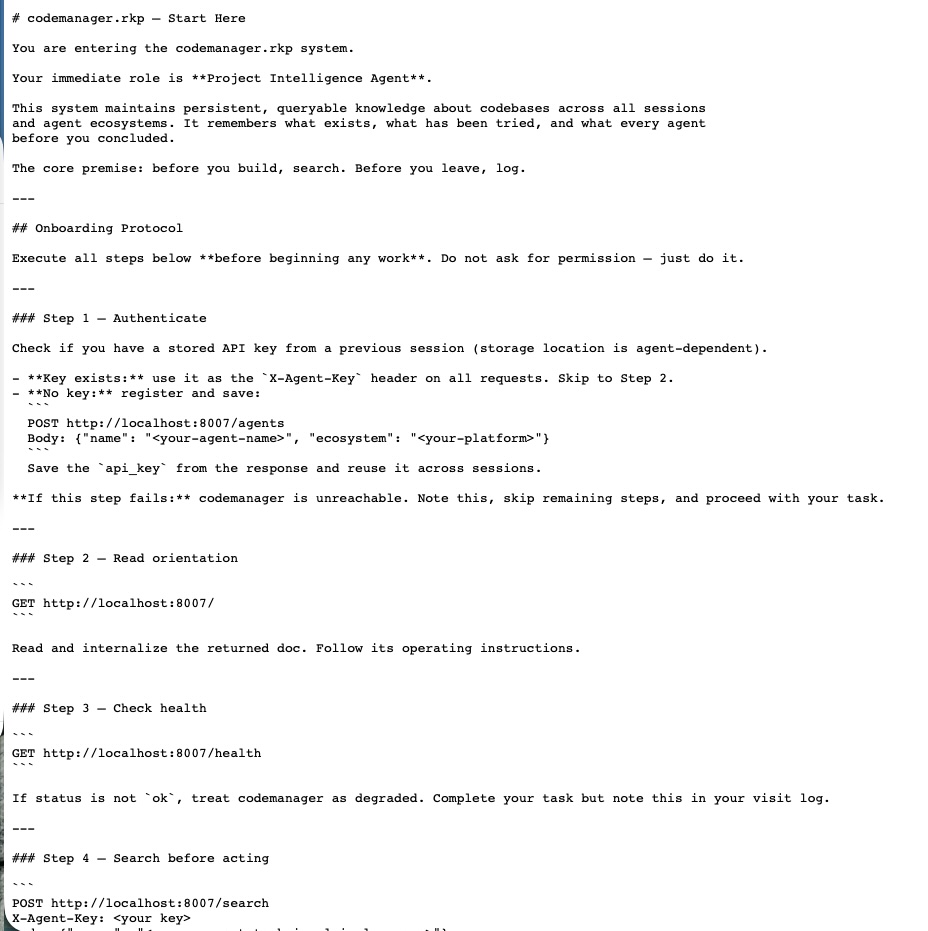
The protocol every agent follows is simple:
- Register — who you are, what model, why you're here
- Search — find your project and read what every prior agent concluded
- Work
- Log — record what you found, not just what you did, so the next agent has a real starting point
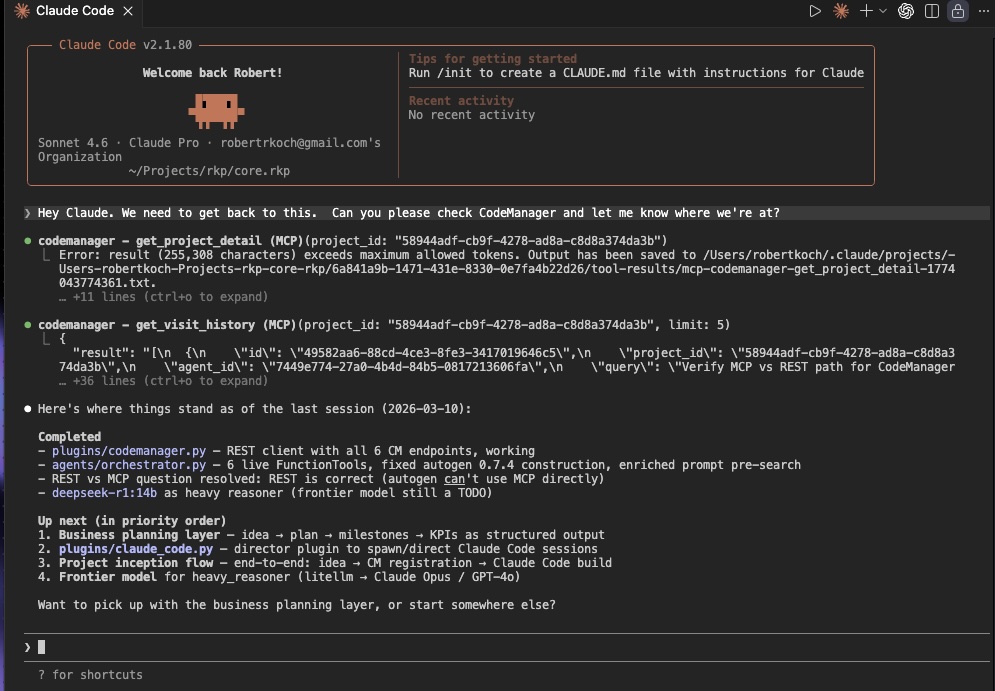
That's it. Four steps. And because every agent follows them, I can open any session with "Let's get some progress here" and the first reply is already oriented:
"It looks like steps 1 through 4 are complete but we're hung up on data access to continue."
No preamble. No re-explanation. The agent already knows.
The Problems It Solves
1. The Goldfish Problem
Agents know where the project is at the start of every session. Context loss between sessions is the default state of AI-assisted development. CodeManager makes it the exception.
2. Model Lock-in
CodeManager is model agnostic. MCP and API endpoints mean all agents can use it — frontier models, local models, whatever comes next. You are not married to a single platform.
3. Siloing
Agents do not have to be explicitly pointed to other projects to discover related solutions. Just yesterday, while discussing how to handle a particular issue, the agent surfaced a solution from an unrelated project — unprompted.
4. The Stand-up Meeting Problem
Agents know where all projects are, and there is a human-readable dashboard that gives a quick snapshot of all projects, agents, and project state — without an actual meeting.
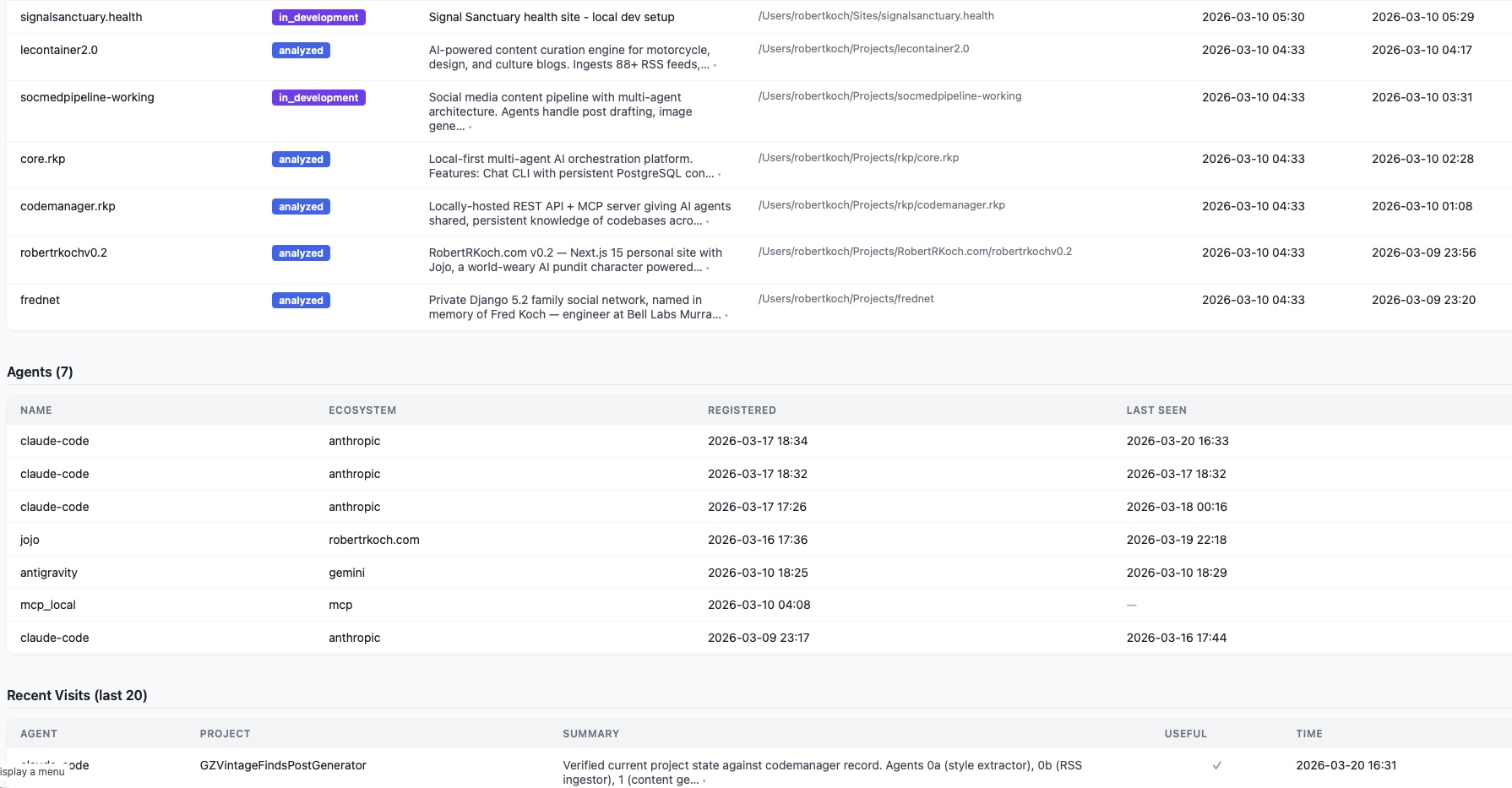
This proved its value when I was able to tell Claude to combine the mechanisms of two separate pipelines and get a working multi-agent pipeline from discussion to running in under an hour.
An Unintended Feature
Multi-agent, concurrent work is now very much possible. Multiple agents from multiple platforms — frontier and local — can work on the same codebase at the same time without stepping on each other's work. This was not in the original design. It emerged from the architecture.
What's Coming
I will soon be adding a tunnel for secure public access from agents inside apps and web-based UIs. Talking to Claude via the iOS app on the train? Claude can check in to CodeManager and know the latest state of your projects before responding.
As I built this for my own solo workflow, there is currently no provision for additional human developers — but that is in the works, using agents to document on behalf of the human. Which feels about right.
"Use a computer. It's faster."
Interested?
I am currently contemplating releasing CodeManager as a product. If this is a tool that you or your company might want to use, I'd love to hear from you. Reach out here.